

🤓 Previous post about AppSync gathered so many messages and comments regarding the usage of AppSync vs API Gateway for GraphQL, so I decided to write part two. And today I would cover the questions regarding When should you choose API Gateway + Lambda instead? And what’s the actual cost difference?
✅ When API Gateway shines: Heavy business logic
If your GraphQL API is primarily business logic rather than data access, API Gateway + Lambda is simpler than AppSync’s multi-resolver approach.
Consider an e-commerce pricing engine with discount calculations, tax logic, and external API validations. With API Gateway, you write one Lambda that handles everything:
const resolvers = {
  Query: {
    productPrice: async (_, { productId, userId }) => {
      const user = await getUserTier(userId);
      const basePrice = await getProductPrice(productId);
      const discount = calculateDiscount(user, basePrice);
      const tax = calculateTax(basePrice, user.location);

      return await pricingAPI.validate({ basePrice, discount, tax });
    }
  }
};
With AppSync, you’d split this into multiple Lambda resolvers plus VTL or APPSYNC_JS orchestration to chain them together. More moving parts, more complexity.
The cost reality: For 10M requests/month where each query needs complex processing (500ms total):
AppSync: $40 (Query) + $100 (Lambda) = ~$140 total
API Gateway (HTTP API): $10 (Request) + $83.33 (Lambda) = ~$93.33 total
Note: These are estimates; actual costs depend on memory size and the new 2025 Lambda billing for initialization (cold starts).
The pricing model favors consolidated logic over distributed resolvers. So, API Gateway, in most cases, is around 30% cheaper because you avoid AppSync’s per-query cost and multiple resolver invocations.
✅ When API Gateway shines: Adding GraphQL to existing REST API
Here’s the migration trap many teams fall into. You have a successful REST API on API Gateway with established auth, monitoring, and deployment pipelines. Now you want to add GraphQL capabilities.
With AppSync, you’re building a second, separate API. Different auth configuration (your REST uses Lambda authorizer, now you need Cognito or IAM for AppSync). Different CloudWatch dashboards. Different rate limits and quotas. Different deployment pipelines. Your mobile clients now need to maintain connections to two different APIs with potentially different authentication flows.
With API Gateway, you add a /graphql route to your existing API. Same Lambda authorizer works for both REST and GraphQL endpoints. Same CloudWatch Logs, same X-Ray traces. Same domain name, same SSL certificate. One unified API surface that your clients interact with.
The operational overhead of maintaining two separate APIs is real and often underestimated. Double the monitoring dashboards, double the alerting rules, double the cost allocation tracking. If you already have API Gateway infrastructure and tribal knowledge, adding GraphQL there is the path of least resistance.
✅ When API Gateway shines: High-volume APIs
At high request volumes, the per-request pricing difference becomes significant. AppSync charges $4 per million query/mutation requests. API Gateway charges $1 per million requests. This 4x difference compounds at scale.
For 10M simple queries per month (single DynamoDB lookup, 100ms Lambda execution):
AppSync costs $40 (queries) + $2.50 (DynamoDB) = $42.50
API Gateway costs $10 (requests) + $16.67 (Lambda at 128MB, 100ms) + $2.50 (DynamoDB) = $29.17
That’s 31% cheaper for identical functionality. At 50M requests/month, you’re saving $67/month. At 100M requests/month, you’re saving $1,340/month. The math shifts heavily toward API Gateway as volume increases.
Important caveat: API Gateway’s advantage assumes your Lambda execution time stays reasonable. If you’re doing simple CRUD where AppSync can use direct APPSYNC_JS resolvers (no Lambda), AppSync might win on cost. But in practice, most production APIs need Lambda for business logic anyway, so API Gateway’s lower base cost tends to win.
Also worth noting: API Gateway supports 10MB payload sizes versus AppSync’s 256KB limit. If you’re handling file uploads, image processing requests, or large batch mutations, AppSync’s limit becomes a hard constraint. You’ll need pre-signed S3 URLs as a workaround, while API Gateway handles it natively.
✅ When API Gateway shines: Local development and debugging
Development velocity matters, especially when debugging production issues at 3 AM. API Gateway + Lambda gives you the full Node.js/Python ecosystem and standard debugging workflows.
You can test your entire GraphQL API locally with sam local start-api, set breakpoints in your IDE, and step through resolver logic. Use any npm package you want—Winston for logging, Sentry for error tracking, custom middleware for authentication. Your error handling is pure JavaScript:
const server = new ApolloServer({
  formatError: (error) => {
    logger.error(’GraphQL error’, {
      message: error.message,
      path: error.path,
      user: context.user
    });
    if (error.message.includes(’database’)) {
      return new Error(’Service temporarily unavailable’);
    }
    return error;
  }
});
With AppSync, you deploy to AWS to test every VTL or APPSYNC_JS change. No local testing environment. Debugging means parsing verbose JSON logs in CloudWatch and adding $util.log() statements. APPSYNC_JS doesn’t support npm packages — you’re limited to its built-in standard library. X-Ray tracing works, but it feels like an afterthought compared to Lambda’s first-class X-Ray integration.
When something breaks in production, API Gateway’s familiar patterns—CloudWatch Logs you can grep, X-Ray traces that make sense, error stack traces that point to actual code — mean faster mean time to recovery. The operational simplicity compounds over time.
Caching insight: API Gateway caches the entire GraphQL response per query. AppSync caches per resolver, meaning if your query triggers 5 resolvers, each checks its cache independently. For queries that request multiple fields, API Gateway’s query-level caching often delivers better cache hit rates than AppSync’s resolver-level approach.
⛔ The main concern: cold starts
The common objection to API Gateway + Lambda is cold start latency. Lambda cold starts for Node.js at 128MB typically add 50-200ms. AppSync’s APPSYNC_JS resolvers talking directly to DynamoDB have ~5-10ms overhead. Seems like a huge difference, right?
But here’s what matters in production: cold starts occur in less than 1% of Lambda invocations according to AWS’s analysis. Lambda reuses warm execution environments for 10-15 minutes. So 99%+ of your requests hit warm Lambda functions with no cold start penalty.
If cold starts truly matter for your use case: Provisioned Concurrency keeps functions warm for $54/month per 5 instances. Lambda SnapStart (Java only) reduces cold starts by 90%. Increasing memory allocation from 128MB to 512MB also speeds up cold starts. These options work identically whether you’re behind AppSync or API Gateway.
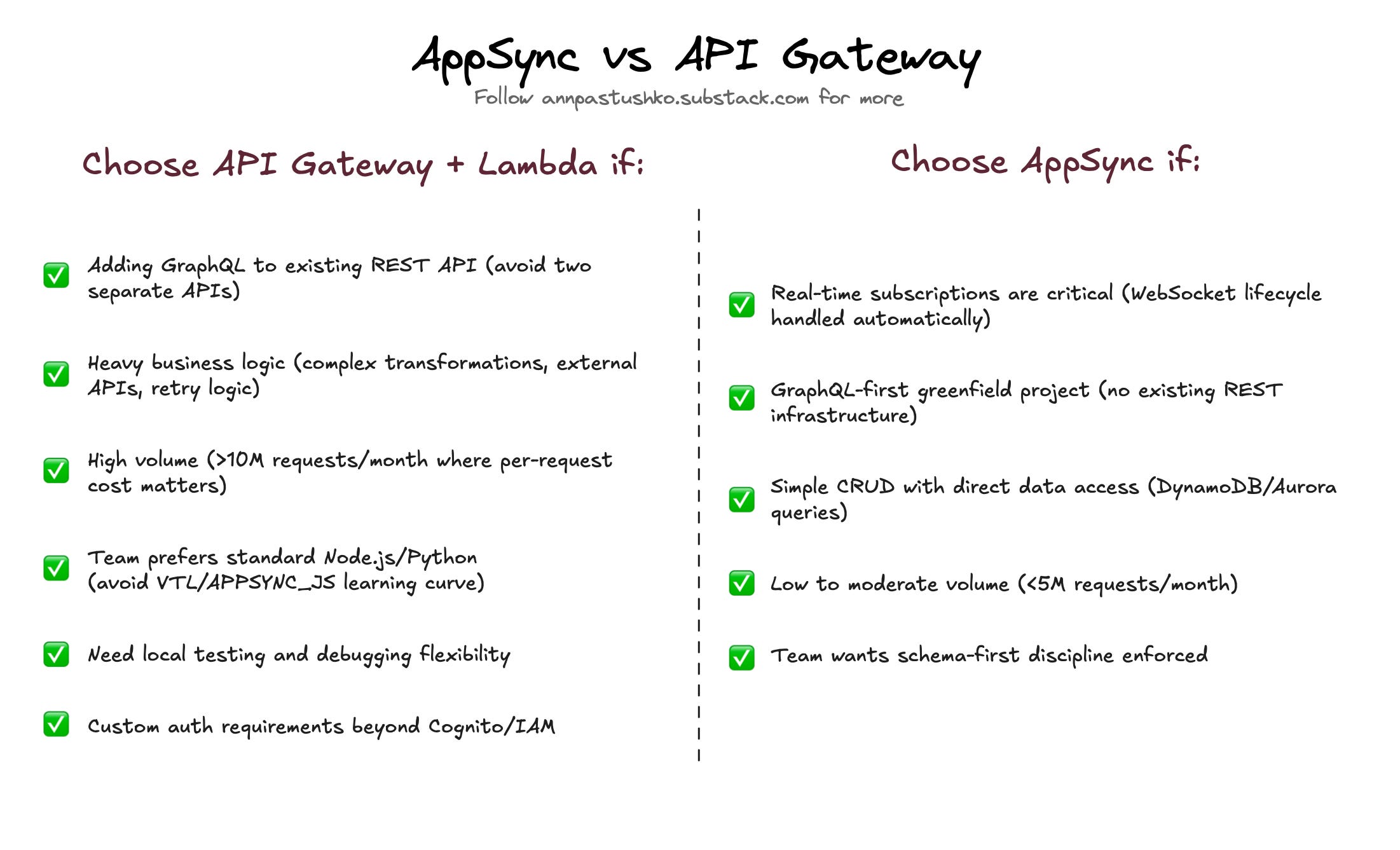
🎁My decision framework
Choose API Gateway + Lambda if:
Adding GraphQL to existing REST API (avoid two separate APIs)
Heavy business logic (complex transformations, external APIs, retry logic)
High volume (>10M requests/month where per-request cost matters)
Team prefers standard Node.js/Python (avoid VTL/APPSYNC_JS learning curve)
Need local testing and debugging flexibility
Custom auth requirements beyond Cognito/IAM
Choose AppSync if:
Real-time subscriptions are critical (WebSocket lifecycle handled automatically)
GraphQL-first greenfield project (no existing REST infrastructure)
Simple CRUD with direct data access (DynamoDB/Aurora queries)
Low to moderate volume (<5M requests/month)
Team wants schema-first discipline enforced
Reality check: Even IMDb (Amazon-owned) uses API Gateway + Lambda for GraphQL at 10,000+ TPS, not AppSync. It scales.
Thank you for reading, let’s chat 💬
💬 Does your team actually use Amplify Mock?
💬 What’s the most “creative” way you’ve bypassed the 256KB payload limit?
💬 If you had to start over today, would you go AppSync?
I love hearing from readers 🫶🏻 Please feel free to drop comments, questions, and opinions below👇🏻
